Animated 3D clock for desktop screens
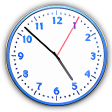
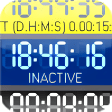
DesktopClock3D is a free clock program for PC devices by the developer, SoftwareOK. It works in a similar way to a clock widget that users can place anywhere on their desktop screens. They get to choose from an animated analog or digital time display, and they can resize it depending on their preference.
DesktopClock3D is a desktop customization software like Desktop Goose, where it runs and stays on home screens to provide some added flair and personalization to user setups. It can be used as an installable utility or as a portable program that can be carried and applied on any PC.
How does DesktopClock3D work?
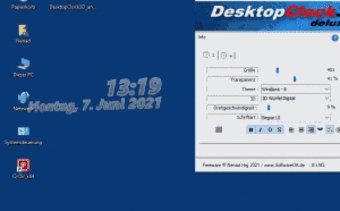
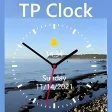
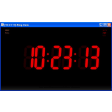
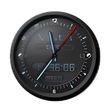
DesktopClock3D basically provides a floating animated clock widget for you to customize to your liking. You get to choose from either analog or digital clock faces, with different styles and designs available to you. The themes that you can pick from, include those from the era of Windows 98, all the way to the latest Windows 10 version of the operating system. You also get to decide whether to use a text-based format for its 3D effect or use a more traditional clock image.
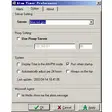
The settings menu, accessed from the system tray icon, is simple and everything can be configured from a single window. Starting from the top, you get tabs to manage multiple clocks if you have them. Next, you get adjustment sliders for the size, transparency, and rotation speed of its 3D effect. Meanwhile, you get drop-down menus for the various Themes and the 3D image that you want to apply.
Lastly, you get options for change the clock's font style and color, as well as using various styles, such as bolded and italicized, as well as adjust its justification. DesktopClock3D is fast, lightweight, and the only thing that could be improved on is the lack of other animation effects as there is only one available currently.
A more personalized clock widget
All in all, if you're looking for a simple way to add some personalization to your desktop home screen, give DesktopClock3D a try. It's free, lightweight, and offers plenty of customization options to tailor it to fit in with your setup. Best of all, it is completely free to use. Recommended.